
Executive Seating Should Support More Than Appearance Executive office chairs are often selected based on…
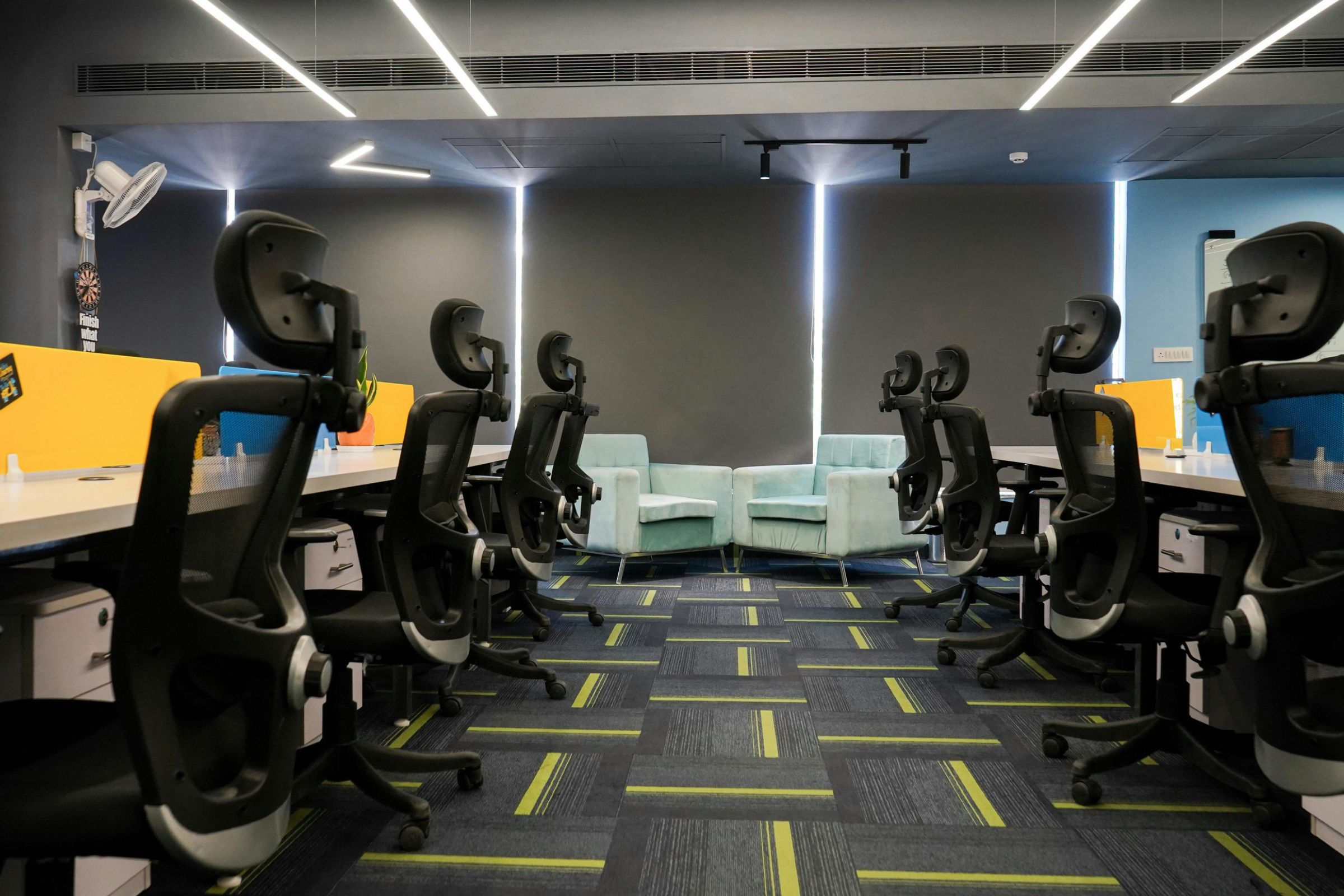
How to Choose Office Chairs for Your Business
Buying office chairs for your business sounds simple until you start considering how many different people will use them.
An office with 10 employees may have 10 different seating preferences. A company furnishing several departments has to think about budgets, purchasing consistency, employee comfort, durability and what happens when someone needs a chair that differs from the standard model.
The challenge isn’t finding an office chair. It’s finding a practical seating solution for your workforce.
If you’re opening a new office, replacing aging furniture or purchasing office chairs in bulk, a little planning can help you avoid costly mistakes.
Here’s how to approach the process, from setting a budget to selecting chairs your employees can actually use comfortably.
1. Start With Your Employees, Not a Chair Catalog
Before comparing prices or choosing a chair style, determine what your workplace needs.
Consider how many employees require seating, how their workdays are structured and whether chairs will be assigned to individuals or shared between shifts.
An employee working at a computer for most of the day may need a different seating configuration from someone who regularly moves between meetings, workstations and collaborative spaces.
Start by answering a few questions:
- How many chairs do we need now?
- Are we planning to hire additional employees?
- Will each chair have one assigned user?
- How many hours per day will the chairs be occupied?
- Do any employees require specialized seating?
- Will the chairs be used at fixed-height or adjustable desks?
- Are there different requirements across departments?
These answers will help determine the type of seating to purchase and whether one standard chair can meet most of your needs.
For businesses evaluating their options, BodyBilt offers office seating for different workplace applications, including adjustable task chairs, executive seating and configurations for different body types.
2. Decide Whether to Standardize Your Office Chairs
Standardizing office chairs can make purchasing, maintenance and future replacements easier.
Instead of ordering a different model for every workstation, your business can establish an approved chair configuration that meets the needs of most employees.
This approach may simplify:
- Budget planning and purchasing approvals
- Employee onboarding and workstation setup
- Replacement orders
- Upholstery and finish consistency
- Maintenance and product documentation
- Furnishing new offices or departments
However, standardization should never mean forcing every employee into a chair that doesn’t fit.
Build Flexibility Into Your Seating Standards
A practical workplace seating program often includes a standard chair for most employees and alternative configurations for people who need them.
For example, a business might approve one adjustable task chair for general office use while maintaining options for petite, tall and Big & Tall employees.
Organizations with specialized departments may also require separate seating standards for laboratories, control rooms or continuous operations.
BodyBilt’s customizable seating solutions can help businesses accommodate employees whose needs differ from a typical office chair configuration.
The goal is to make purchasing consistent while keeping seating adaptable to the people using it.
3. Set a Realistic Office Chair Budget
How much should a business spend on office chairs?
There isn’t one correct price. Your budget should reflect how the chairs will be used, how long you expect to keep them and the features your employees require.
A chair intended for occasional conference-room use may have different requirements from one used throughout a full workday.
When building your budget, consider the total project rather than only the advertised price of each chair.
| Budget Consideration | Why It Matters |
| Number of Chairs | Determines the scale of the initial purchase |
| Chair Configuration | Different sizes, controls and materials can affect pricing |
| Expected Use | Full-day and multi-shift environments may require different products |
| Warranty Coverage | Helps you understand applicable repair and replacement terms |
| Maintenance | Cleaning and component service can affect ownership costs |
| Shipping and Delivery | Large orders may involve additional logistics |
| Future Growth | Consistent seating options can simplify later purchases |
| Specialized Needs | Alternative configurations may be required for certain employees |
Look at Long-Term Value, Not Just the Purchase Price
A low-priced chair may fit your immediate budget but offer limited adjustment options or prove unsuitable for your employees.
On the other hand, the most expensive chair isn’t automatically the right choice.
Compare chairs based on their suitability for the work environment, available configurations, durability, warranty terms and anticipated ownership costs.
If you’re buying seating for an entire department, request a quote that reflects the actual quantity and specifications you need.
4. Make Sure Your Chairs Accommodate Different Employees
People vary in height, body proportions and seating preferences.
A chair that works well for one employee may have a seat that’s too deep for another or an adjustment range that doesn’t suit a taller user.
Before committing to a large purchase, confirm that your proposed seating options can accommodate the people who will use them.
Pay particular attention to:
Seat dimensions: The seat should provide appropriate support without being excessively narrow, wide or deep.
Seat-height adjustment: Employees should be able to establish a suitable seated position relative to their desks.
Back support: The backrest and lumbar support should fit the user comfortably.
Armrest adjustment: Armrests should accommodate different working positions without interfering with the desk.
Published weight capacity: Confirm that each chair configuration is appropriate for its intended user.
You don’t need to become an expert in chair specifications to make a good purchasing decision. You do need to know when a standard configuration may not be appropriate.
BodyBilt’s ergonomic seating collection includes multiple seating styles and configurations, helping businesses plan for a workforce with different needs.
5. Think About Where the Chairs Will Be Used
Not every workplace requires the same seating.
An administrative office, reception area and 24-hour operations center may all be part of the same organization, but the chairs used in those environments serve different purposes.
General Office Workstations
For conventional desk work, prioritize adjustability, appropriate sizing and compatibility with existing desks.
Browse BodyBilt office seating to compare options for individual and shared office workstations.
Shared Desks and Hybrid Offices
Chairs used by multiple employees should have controls that are straightforward to adjust.
Users should be able to change the chair’s settings when beginning work rather than relying on the previous occupant’s configuration.
24-Hour and Multi-Shift Operations
Dispatch centers, security operations and control rooms can place greater demands on seating because chairs may be used by multiple employees across extended shifts.
For these environments, consider BodyBilt intensive-use seating rather than assuming a conventional office chair is suitable.
Healthcare, Laboratory and Industrial Settings
Technical workplaces may have requirements related to work-surface height, materials, cleaning procedures or other environmental conditions.
BodyBilt offers healthcare and industrial seating for applications that differ from standard administrative offices.
6. Test Office Chairs Before Placing a Large Order
One of the most useful steps in a business seating purchase is evaluating proposed chairs before committing to a full order.
A chair may look appropriate in a product photo and meet your purchasing specifications, yet still be difficult for certain employees to adjust.
For larger projects, consider arranging a seating evaluation or product demonstration.
Who Should Participate in the Evaluation?
Include employees who represent different:
- Heights and body dimensions
- Departments and work activities
- Workstation arrangements
- Daily sitting durations
- Seating requirements
Ask participants to adjust the chairs before evaluating them.
Someone trying a chair in its default configuration may reach a very different conclusion after learning how to set the seat depth, height, back support and armrests.
What Should You Ask Employees?
Keep the evaluation practical.
Can they adjust the chair without difficulty? Does the seat fit appropriately? Can they work comfortably at their existing desk? Are there features they find useful or controls they struggle to operate?
Record feedback and look for patterns rather than choosing a model based on one person’s preferences.
BodyBilt provides product videos that can help employees understand chair adjustments and available features.
7. Compare Office Chair Vendors Beyond Price
A business chair purchase involves more than selecting a product.
The vendor’s ability to support your organization before and after the order can influence how smoothly the project goes.
When comparing office chair suppliers, ask about the following.
Product Specifications
Can the supplier provide chair dimensions, adjustment information, available configurations and published capacities?
BodyBilt maintains a product document library for reviewing specifications and related materials.
Warranty and Support
What does the warranty cover? Are there exclusions based on use or product configuration? How should employees report a problem?
Confirm the terms that apply to the exact products you’re considering.
Future Availability
If you hire more employees next year, will you be able to order compatible seating?
Ask about product continuity, alternative configurations and how future purchases are handled.
Delivery and Project Coordination
Discuss order quantities, delivery locations, scheduling requirements and any installation responsibilities before finalizing a purchase.
Employee Fitting Assistance
Can the supplier help you determine which configurations are appropriate for your workforce?
BodyBilt works with business customers through local representatives who can assist with seating requirements and workstation standards.
8. Don’t Overlook the Existing Workstations
An office chair needs to work with the desk and equipment around it.
If the desk is too high, an employee may struggle to position the keyboard comfortably even with a suitable chair.
If the monitor is poorly positioned, replacing the chair alone may not resolve the workstation problem.
Before purchasing seating for an entire office, check whether existing workstations provide enough adjustment for different users.
Depending on the findings, you may also want to review:
- Height-adjustable tables for flexible seated and standing work arrangements
- Monitor arms for adjustable display positioning
- Keyboard systems for additional control over keyboard and mouse placement
- Desk accessories for foot support and other workstation needs
This doesn’t mean every office needs all-new equipment. It means seating decisions should account for the environment in which employees will use the chairs.
9. Plan for Growth and Future Replacements
A business seating purchase shouldn’t end with the delivery of the chairs.
Consider how your organization will manage seating as employees join, change roles or move between locations.
Document the approved chair models and configurations, maintain applicable product information and establish a process for handling seating requests.
It can also help to keep a record of which departments use specialized seating.
If a chair becomes damaged or no longer meets an employee’s needs, the organization should know whom to contact and how to determine whether repair, adjustment or replacement is appropriate.
A little planning now can make future seating decisions easier.
Office Chair Buying Checklist for Businesses
Use this checklist before requesting quotes or approving a large office chair purchase.
- Confirm the number of chairs required.
- Identify individual, shared and specialized workstations.
- Set the project budget and purchasing timeline.
- Determine the expected daily use of each seating category.
- Establish a standard chair configuration where appropriate.
- Identify employees who may need alternative sizes or features.
- Review seat dimensions, adjustments and published capacities.
- Check compatibility with existing desks and equipment.
- Arrange a demonstration or trial when practical.
- Compare warranty and support terms.
- Confirm upholstery, finish and cleaning requirements.
- Request pricing for the actual quantities and configurations.
- Discuss lead times, shipping and delivery.
- Plan employee adjustment guidance.
- Document approved configurations for future purchases.
How BodyBilt Helps Businesses Choose Office Seating
BodyBilt develops customizable workplace seating for organizations with different employees, work environments and purchasing requirements.
Rather than assuming one chair is right for everyone, BodyBilt offers a range of office seating configurations and specialized products that businesses can evaluate according to their needs.
Organizations can work with a local BodyBilt representative to discuss workforce requirements, establish seating standards, compare available configurations and identify options for employees who need something different.
Visit BodyBilt’s business purchasing page to learn more about the process.
Ready to Find the Right Office Chairs for Your Business?
Buying chairs for a growing team, furnishing a new office or replacing seating across multiple departments?
BodyBilt can help you review your requirements, compare workplace seating options and determine the next steps for your project.
Connect With a BodyBilt Sales Representative to Discuss Your Office Seating Needs
Frequently Asked Questions
What should businesses look for when buying office chairs?
Businesses should evaluate chair adjustability, seat dimensions, durability, employee fit, warranty coverage and compatibility with existing workstations. For larger purchases, it’s also important to consider delivery requirements, future replacements and whether the supplier offers alternative configurations for different employees.
Is it cheaper to buy office chairs in bulk?
Bulk purchases may qualify for project-specific pricing, but savings depend on the supplier, order quantity and chair configurations. Businesses should request a detailed quote that includes the products, delivery requirements and any specialized seating needs rather than assuming a bulk discount will apply.
Should every employee have the same office chair?
Not necessarily. Standardizing office chairs can simplify purchasing and maintenance, but employees have different body dimensions and seating requirements. Many businesses benefit from a standard chair configuration with alternative options available for employees who need a different fit.
How much should a company budget for office chairs?
The appropriate budget depends on the number of chairs, expected daily use, adjustment features, durability requirements and anticipated service life. Companies should consider long-term ownership costs alongside the initial purchase price and obtain quotes based on their specific project requirements.
How do businesses choose an office chair supplier?
Look for a supplier that provides clear product specifications, appropriate seating options, warranty information, customer support and assistance with larger orders. Businesses may also benefit from a supplier that can help establish seating standards and accommodate employees who require specialized configurations.
Related Posts