

A good chair should adapt to the person sitting in it, not force the person to adapt to the chair.
BodyBilt ergonomic seating is designed around adjustability, fit, and the demands of different working environments. The range includes office chairs, executive seating, intensive-use chairs, healthcare and industrial seating, workstools, and specialized configurations for users who need something beyond a standard seat.
Chair requirements can change considerably from one person or workplace to another. Seat dimensions, lumbar support, arm position, back height, controls, weight capacity, workstation height, and time spent seated can all influence which configuration makes sense.
Use this page to understand the main BodyBilt seating categories and chair features, then explore the application that best matches your workplace or individual requirements.
Explore BodyBilt Seating by Application
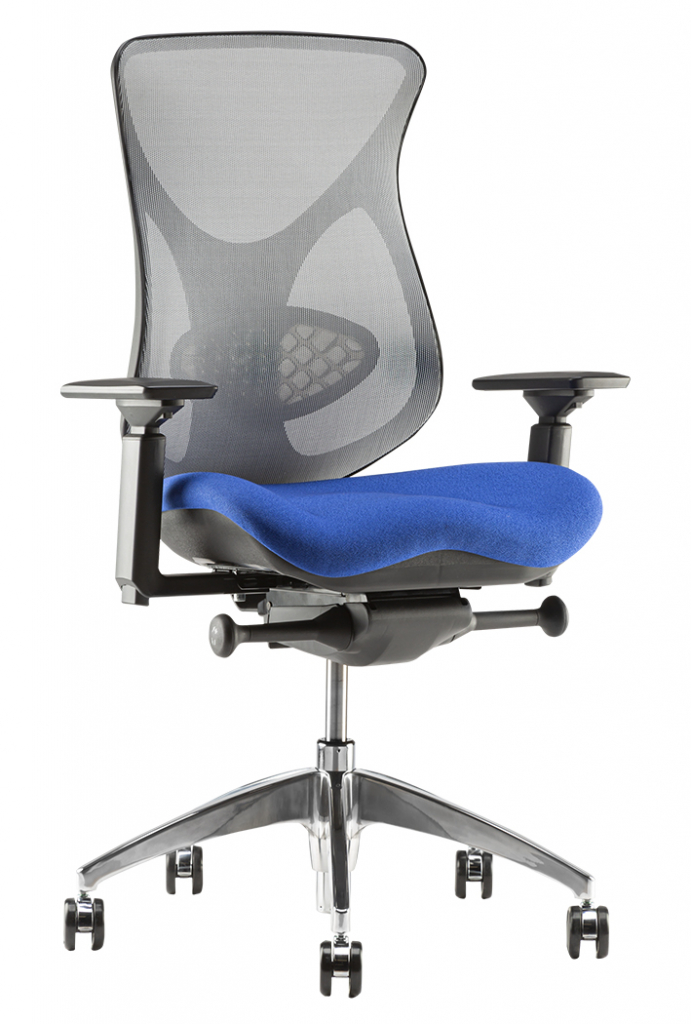
Office Seating

Healthcare
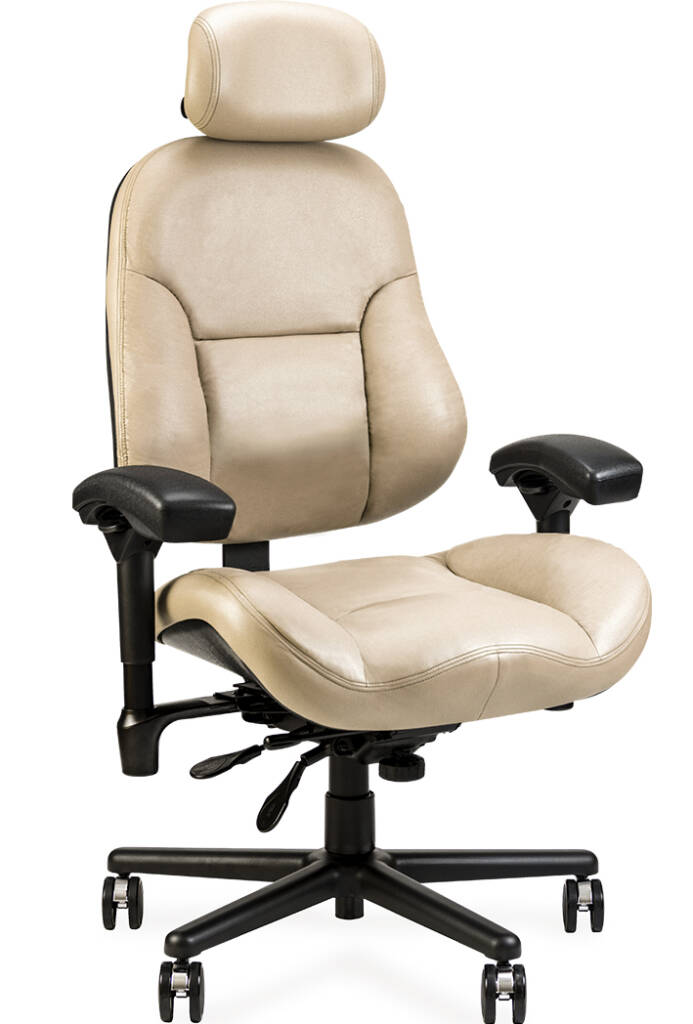
Intensive Use

What Is Ergonomic Seating?
Ergonomic seating is designed to give the user greater control over how the chair fits and supports them while they work.
Instead of relying on fixed dimensions and a single sitting position, an adjustable chair can provide control over areas such as seat height, seat depth, back position, lumbar support, armrests, tilt, and recline. Available adjustments differ by chair model and configuration.
Fit is just as important as the number of controls.
A highly adjustable chair can still be poorly suited to someone if the seat is too deep, too narrow, too wide, or outside the appropriate height or weight range. The chair also needs to work with the desk, monitors, keyboard, mouse, and other equipment.
That is why BodyBilt offers different seating families, seat sizes, and configurations instead of treating ergonomic chairs as one-size-fits-all products.
Office Seating for Individual and Shared Workstations
BodyBilt office seating includes task chairs, executive chairs, mesh-back seating, petite options, and larger configurations for corporate offices, home offices, shared desks, and individual workstations.
For everyday office use, start by considering how many hours the chair will normally be occupied and whether it is assigned to one employee or shared.
Someone working at a computer throughout the day may place greater importance on seat depth, lumbar support, arm adjustment, and recline. A shared workstation needs controls that different employees can reset quickly. An executive office may call for a higher back while still requiring appropriate seat dimensions and adjustment.
Our office chair buying guide explains how to compare seat size, seat depth, lumbar support, arms, headrests, controls, and weight capacity in more detail.
Intensive-Use Seating for 24/7 Workplaces
Standard office use and continuous multi-shift use are not the same thing.
BodyBilt intensive-use seating is designed for demanding environments where chairs may be occupied for long shifts, shared between employees, and used across multiple shifts every day.
Applications include:
- 911 dispatch centers
- Control rooms
- Security operations
- Network and monitoring centers
- Call centers
- Utilities and other continuous operations
BodyBilt’s NEXT24 seating includes intensive-use mechanisms, heavy-duty cylinders, multiple seat configurations, adjustable lumbar support, and models for petite, standard, and Big & Tall users.
Facilities operating continuously should evaluate durability, serviceability, user range, seat sizing, and adjustment features alongside normal chair fit.
Explore BodyBilt 24/7 and intensive-use chairs for detailed selection guidance.
Healthcare, Laboratory and Industrial Seating
Healthcare facilities, laboratories, manufacturing environments, cleanrooms, and technical work areas can require seating that performs differently from a conventional office chair.
BodyBilt healthcare and industrial seating includes chairs and workstools for applications involving elevated work surfaces, technical tasks, laboratory benches, frequent movement, and specialized workplace requirements.
Important selection factors can include:
- Seat-height range
- Foot rings or other foot support
- Mobility
- Upholstery and material selection
- Cleanability requirements
- Arm configuration
- Work surface height
- ESD requirements
- Cleanroom requirements
Cleanroom and ESD configurations should always be selected against the requirements of the individual facility rather than assuming that every healthcare or industrial chair is suitable for a controlled environment.
Buyers with these requirements can explore BodyBilt healthcare, laboratory and industrial seating for application-specific guidance.
G7 Gaming Chair: Discontinued Product Support
Gaming setups can involve many of the same seating considerations as computer-based work, particularly when someone spends extended periods at the desk.
The BodyBilt G7 gaming chair has been discontinued. For current seating options, explore our ergonomic office chairs. Adjustment videos remain available for existing gaming-chair owners.
When adjusting an existing gaming chair, consider seat dimensions, lumbar support, arm positioning, back and recline controls, head or neck support, and the relationship between the chair and gaming desk.
The keyboard, mouse, controller, and displays should remain comfortably accessible without requiring the user to continually lean forward or reach.
BodyBilt also provides gaming chair adjustment videos for existing owners of earlier gaming models.
Specialized and Custom Seating Configurations
Some users need a seating configuration that falls outside typical office-chair dimensions or features.
BodyBilt custom seating solutions can accommodate requirements such as petite, tall, and Big & Tall users, alternative arm options, different seat configurations, neck and head support, cylinder and base variations, and specialized workplace applications.
The purpose of customization is not to add every possible option to a chair. It is to identify which dimensions and features matter for the person and task.
For organizations, that may mean establishing several approved configurations instead of purchasing one identical chair for every employee.
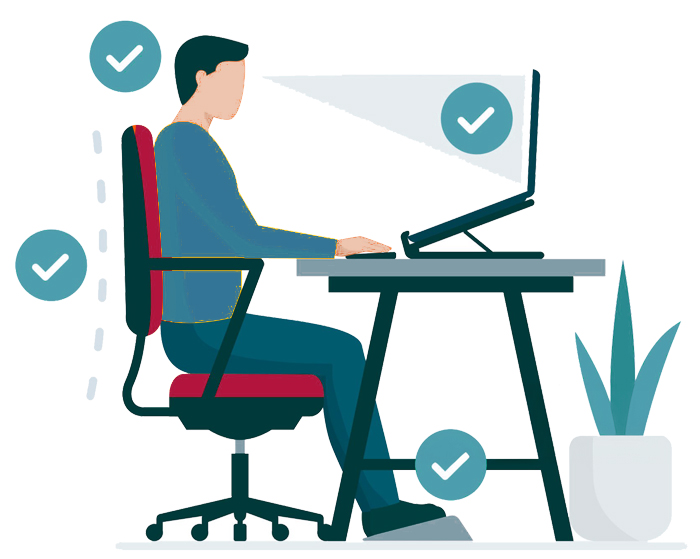
The Benefits of Ergonomic Chairs
Ergonomic chairs offer five main benefits. They help
- Support Proper Posture
- Ensure Hip and Pelvic Alignment
- Support Your Head
- Support Your Trunk
- Help Arm and Wrist Placement
They also have several secondary benefits, including
- Improve Circulation
- Improve Digestion
- Improve Breathing
In addition to those benefits, they can also help with various related discomforts. Remember that the body is a system. Anything that allows the body to sit naturally will have positive effects.
Choosing an Ergonomic Chair for Your Body Type
Body dimensions should be considered before features and finishes.
A chair can offer extensive adjustment but still be the wrong starting point if the seat or back dimensions do not suit the user.
Ergonomic Chairs for Petite Users
Petite users may need a shallower seat, appropriate seat-height range, narrower dimensions, and armrests that can be positioned close enough to the body.
A seat that is too deep can make it difficult to sit against the backrest without the front edge contacting the backs of the legs.
BodyBilt offers petite configurations within both its conventional office and intensive-use seating ranges.
Ergonomic Chairs for Tall Users
Taller users may require additional seat depth, appropriate back dimensions, and a seat-height range that works with longer legs.
Some BodyBilt seating families offer deeper or stretch seat configurations specifically intended to provide additional room and thigh support for taller users.
Desk height should be checked at the same time. A chair that accommodates a tall user cannot correct a work surface that is positioned too low.
Big & Tall Ergonomic Chairs
Big & Tall chair selection should consider much more than weight capacity.
Seat width, seat depth, back dimensions, arm spacing, cylinder configuration, and the chair’s published capacity all matter.
BodyBilt offers Big & Tall configurations across applicable seating families, including intensive-use options with capacities up to 500 pounds on specified NEXT24 configurations.
Always confirm the specifications of the individual chair before ordering.
Seating for Multiple Users
Shared workstations require chairs that can accommodate a reasonable range of users and can be adjusted quickly when shifts or employees change.
Seat height, seat depth, back position, lumbar support, armrests, and tilt controls should be straightforward enough for employees to reset without assistance.
A particularly diverse workforce may still require multiple chair sizes. Adjustment alone cannot compensate for every difference in body dimensions.
Ergonomic Chair Features Explained
Chair terminology can make comparison unnecessarily difficult. These are some of the most important features to understand before choosing a chair.
Lumbar Support
Lumbar support refers to support provided around the lower-back region of the chair.
Depending on the model, the lumbar area may be shaped into the backrest, vertically adjustable, or provide additional adjustment through systems such as BodyBilt Air Lumbar.
The correct setting should feel supportive without forcing the user away from the backrest.
Seat Depth
Seat depth is the distance from the rear to the front of the usable seat.
It affects how much of the thighs are supported and whether the user can sit fully against the backrest without excessive contact behind the knees.
Some BodyBilt chairs provide a seat-depth adjustment or seat slider. Others offer different seat sizes to accommodate shorter or taller users.
Tilt and Recline Controls
Tilt and recline controls determine how the seat and back move as the user changes position.
Depending on the chair mechanism, controls may include seat angle, back angle, tilt tension, tilt limiting, or other movement settings.
These controls allow users to change seated positions instead of remaining locked into one posture throughout the day.
Armrest Adjustments
Adjustable armrests help position the forearms while keeping frequently used equipment within reach.
Depending on the selected arm configuration, adjustments can include height, width, rotation, or pad position.
Armrests also need to work with the desk. An arm that prevents the chair from moving close enough to the work surface can create another positioning problem.
Waterfall Seat Edge
A waterfall seat edge slopes downward at the front of the seat rather than ending in a hard horizontal edge.
The shape is intended to create a smoother transition beneath the thighs and avoid unnecessary concentrated contact at the front of the seat.
Waterfall shaping should still be considered alongside overall seat depth, width, contour, and cushioning.
Seat Height
Seat-height adjustment allows the user to position themselves relative to the floor and work surface.
The appropriate range depends on both the person and the workstation. Taller desks, laboratory benches, and technical work surfaces may require a stool or tall-cylinder configuration rather than a conventional office chair.
Back Height and Backrest Adjustment
Back dimensions and adjustment determine where the chair supports the torso.
Some BodyBilt chairs allow users to change back height or back angle, while different product families offer petite, manager-height, executive-height, mesh, and other back configurations.
A taller back is not automatically better. Choose it based on user dimensions and the way the chair will be used.
Compare BodyBilt Ergonomic Seating by Application
| Seating Category | What to Prioritize | Typical Applications | Explore |
| Office Seating | Seat fit, lumbar support, arm adjustment, controls, everyday comfort | Corporate offices, home offices, administrative work, shared desks | Office Seating |
| Intensive-Use Seating | Heavy-duty components, rapid adjustment, multiple users, serviceability | Dispatch, control rooms, security, monitoring and 24/7 operations | Intensive-Use Seating |
| Healthcare & Industrial | Seat height, mobility, materials, foot support and application requirements | Healthcare, laboratories, manufacturing and technical work areas | Healthcare & Industrial Seating |
| Earlier Gaming Models: Owner Support | Adjustable support, arms, recline, seat fit and screen setup | PC gaming, work-and-play setups and dedicated gaming stations | Product Videos for Existing Owners |
| Petite Seating | Shallower seat dimensions, usable seat height, arm positioning | Smaller users in office or intensive-use environments | Office Seating Guide |
| Big & Tall Seating | Seat dimensions, arm spacing, back size and published capacity | Larger or taller users across workplace applications | Custom Solutions |
| Workstools | Elevated seat range, foot support, mobility and work-surface compatibility | Laboratories, counters, technical benches and elevated workstations | Healthcare & Industrial Seating |
How to Choose the Right BodyBilt Chair
Start with the user and application before comparing individual models.
Ask:
- How many hours will the chair normally be occupied?
- Will one person use it or will it be shared?
- What seat width and depth suit the user?
- What seat-height range is required?
- Does the user need a petite, tall, standard, or Big & Tall configuration?
- Which lumbar and back adjustments are important?
- Will armrests fit beneath or alongside the work surface?
- Is the workstation standard desk height or elevated?
- Does the workplace have intensive-use, healthcare, cleanroom, ESD, or other specialized requirements?
- What published weight capacity is required?
Once those questions are answered, compare chair families and individual configurations.
For conventional office applications, use the BodyBilt Office Seating Guide. For 24-hour operations, go directly to the Intensive-Use Seating Guide.
Adjust the Chair and the Workstation Together
A chair does not operate independently from the rest of the workstation.
Desk height, monitor position, keyboard and mouse placement, foot support, and frequently used equipment all influence how the user sits.
Once a chair has been selected, learn how its controls work. BodyBilt provides product videos and chair adjustment guidance for seating features, mechanisms, lumbar systems, armrests, and individual chair families.
Then evaluate the rest of the workstation.
BodyBilt monitor arms can provide greater control over display position, while keyboard systems help position input devices independently from the desk.
For users who need greater control over working height, height-adjustable tables allow the work surface to change between seated and standing positions.
Custom Seating Starts With the Person Using It
The most appropriate chair is not necessarily the model with the longest feature list.
A petite employee at a conventional workstation, a dispatcher sharing a chair across three shifts, and a laboratory technician working at an elevated bench all need different things from their seating.
BodyBilt’s range is designed to provide those different starting points, with configurable options that can then be matched more closely to the person and application.
For unusual fit requirements or workplace applications, explore BodyBilt Custom Solutions or speak directly with a representative.
Find the Right BodyBilt Ergonomic Seating
Choosing workplace seating for one employee or an entire organization starts with understanding fit, daily use, and the environment in which the chair will operate.
BodyBilt can help compare seating categories, user requirements, chair configurations, and workstation needs before you make a selection.
Frequently Asked Questions
An ergonomic chair is designed to adjust to the user and workstation rather than providing only a fixed sitting position. Common features include adjustable seat height, seat depth, lumbar or back support, armrests, tilt, and recline. Available features vary by chair.
Start with seat dimensions, seat-height range, lumbar support, arm positioning, controls, published weight capacity, and the amount of time the chair will be used. The chair should also fit the desk and other workstation equipment.
There is no single chair that is best for every long-hour user. Look for seating that fits the user’s dimensions and provides appropriate seat depth, back and lumbar support, arm adjustment, and movement. For workplaces where chairs are used continuously across multiple shifts, consider intensive-use seating.
Yes. BodyBilt offers different seat and chair configurations for petite, standard, tall, and Big & Tall users across applicable product families. Chair dimensions and capacities should be checked against the individual user’s requirements before ordering.
Useful adjustments can include seat height, seat depth, lumbar or back position, armrest height and width, back angle, tilt, and recline. Not every user needs every available adjustment, so the best configuration depends on body dimensions, workstation design, tasks, and daily use.